Noodle Gallery for iPhone
The Noodle Gallery iPhone app is live on the App Store: background camera backup, CLIP search, the map, and a working Shared Spaces preview.
Your photos land on hardware you own
Noodle Gallery for iPhone is live on the App Store. It is a native iOS app built around a single idea: every photo you take should land on hardware you own, and every search you run on those photos should happen there too. The phone is the window. Your server is still home.
Sign in once with your Gallery server URL and account, and the whole library is on the device: timeline, search, map, spaces, settings. Background camera backup uploads new photos and videos straight to your server as you take them. No Noodle-operated middle layer. No cloud account to opt out of.
Search without the cloud
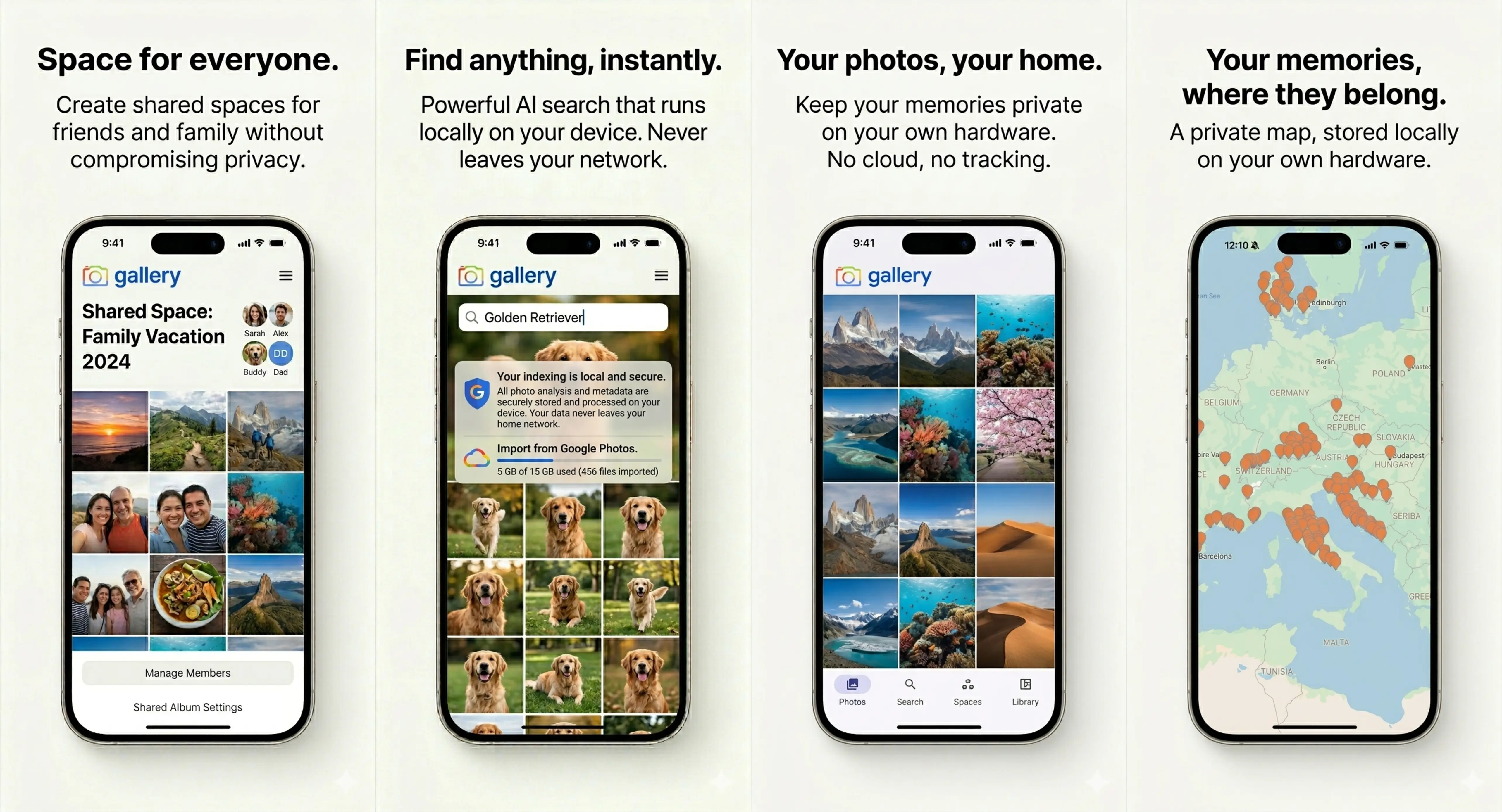
The same CLIP smart search that powers the web library is one tap away. Type "golden retriever". The app sends the query to your server, your server runs CLIP, and the matching photos come back. Indexing, embeddings and ranking all happen on hardware you control: Apple sees nothing, Google sees nothing, and no Noodle inference service sits in the path.
The first run can also kick off a Google Photos import. The in-app wizard hands your Takeout archive straight to your library, with dates, GPS and favourites preserved end to end.
Shared Spaces: a working first cut
Shared Spaces is the headline Gallery feature, and the iPhone app ships with a working first cut. Open a space. You get its timeline, the people the space is shared with, and pull down to refresh as new photos land. The drift-based sync layer behind Spaces on iPhone has been in beta with personal users for weeks.
Full parity with the web version is the very next mobile milestone. In-space search, faceted filtering, and the activity log are on the next release branch and roll out as a follow-up update over the next few weeks. Leaning on heavy filtering inside spaces today? The web app is still the fuller one.
The map runs on your server
The map view from the web app comes with the iPhone too. Photos with GPS metadata become markers. They cluster as you zoom out. Tiles are served from your Gallery server, place names come from your server's reverse-geocoding, and marker thumbnails stream from your library. Nothing about where your photos were taken touches a third-party API.
How to install
Find Noodle Gallery on the App Store, sign in with your Gallery server URL and account, and the app does the rest. The Android app is also live on Google Play.
Ready to run Gallery on your own server? The install takes about five minutes.